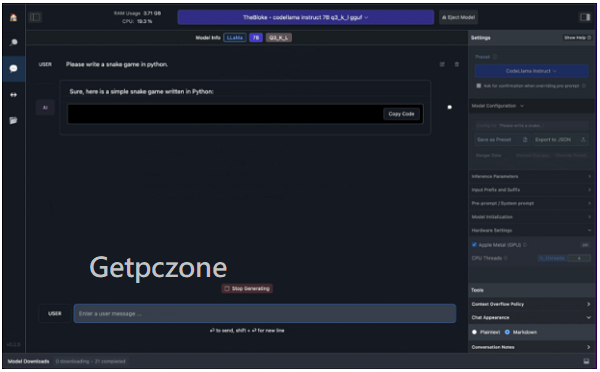
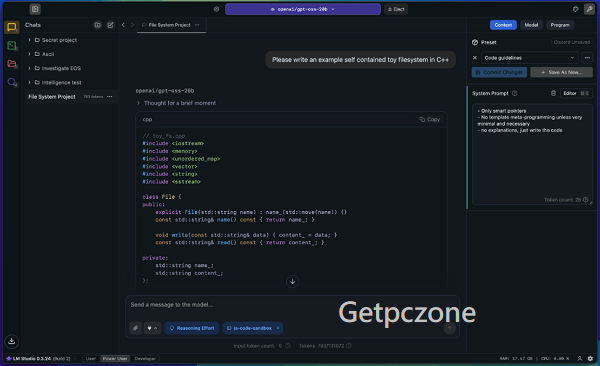
LM Studio is a desktop app that lets you download and run open-source LLMs entirely on your local machine (offline, with privacy and security). It supports dozens of popular models (LLaMA, Mistral, Qwen, Phi, Gemma, etc.) and provides both a GUI chat interface and a local API server (OpenAI-compatible).
It’s designed for developers, privacy-conscious professionals, and AI enthusiasts who want AI power without recurring cloud costs or third-party data exposure.
👍 Strengths (Why People Like It) Free Download LM Studio
✅ 1. Local & Private
Everything runs on your device — no internet needed once models are downloaded. This is great for sensitive data or secure workflows.
✅ 2. User-Friendly Interface
LM Studio’s GUI makes it easy to browse, download, and interact with LLMs without terminal commands — ideal for beginners.
✅ 3. Broad Model Support
Supports a wide range of GGUF-format open-source models and lets you switch between them easily.
✅ 4. Cross-Platform
Available on Windows, macOS (including Apple Silicon), and Linux.
✅ 5. Free to Use
No subscription or usage fees — the software and its features are free.
✅ 6. Local API + SDKs
Developers can run models locally and integrate them into applications via a local OpenAI-compatible API. You May Also Search for ToolsToo Pro 12.0 Download
✅ 7. Active Development
Recent updates have added headless operation, better local server support, and an improved UI — signaling ongoing investment in the platform.
👎 Weaknesses (What Users Complain About)
⚠️ 1. Hardware-Dependent Performance
Performance can vary drastically based on your machine; large models need lots of RAM and GPU power to be responsive.
⚠️ 2. Not Truly Open Source
The application itself is closed-source freeware, which raises trust concerns for some users despite being privacy-focused.
⚠️ 3. Limited Advanced Features
Compared with some alternatives, advanced collaboration, auto-updates, and enterprise features are still missing or in early stages.
⚠️ 4. Learning Curve for Best Results
While easy to start, squeezing good performance out of certain models (e.g., quantization settings, GPU optimization) can be technical.
⚠️ 5. Model Quality Varies
Local models often aren’t as capable as cutting-edge cloud LLMs (e.g., GPT-4, Claude, Gemini) in reasoning or real-world knowledge.
⚠️ 6. Community Feedback Mixed
Some users report performance hiccups, inconsistent results, or issues loading different models repeatedly without rebooting.
📈 User Sentiment (from Community Discussions)
Positive feedback:
-
Easy setup and intuitive model discovery.
-
Works well as a local replacement for cloud APIs in development workflows.
-
Appreciated for privacy and offline capabilities.
Criticism & concerns:
-
Some users distrust the closed-source nature.
-
Reports of slowdowns or performance issues on less powerful hardware.
🆚 Compared to Alternatives
Vs. Ollama:
LM Studio is much more GUI-focused and beginner-friendly, while Ollama is CLI-centric and lighter for scripted workflows.
Vs. Cloud LLMs:
Cloud models are more capable in reasoning and current info, but LM Studio beats them on privacy, cost, and offline use.
📊 Who It’s Best For
✔ Privacy-focused professionals (legal, finance, health)
✔ Developers who want local tools with API integration
✔ AI enthusiasts experimenting with open models
✔ Beginners to AI who prefer a GUI over command line
✔ Organizations wanting offline deployment without cloud costs
Not ideal if:
✘ You need top-tier language capabilities (GPT-4 quality)
✘ You want a cloud-hosted, always up-to-date model
✘ Your hardware can’t handle large LLMs locally
🧾 Final Verdict
LM Studio is one of the most compelling local LLM platforms available today. It makes running open-source models accessible and secure, with a polished interface and powerful tooling — as long as you have the hardware to support it. It’s especially valuable for privacy-conscious users and developers who want complete control over their AI workflows without recurring cloud costs.

LM Studio is a desktop app that lets you download and run open-source LLMs entirely on your local machine (offline, with privacy and security).
- Developer :
- Version :
- Language :English
- Update :
- License :
- Systems :
- Downloads :
- Vote Software :(0 votes, Average: 0)
- Compatibility :Windows 10 / Windows 11 / Windows 7 / Windows 8