ConceptDraw Office 10.2 Portable is an integrated business productivity suite developed by CS Odessa that combines diagramming, mind mapping, and project management tools into one cohesive solution.
Review Of ConceptDraw Office 10.2
Designed for professionals, teams, educators, and organizations, it helps users visualize ideas, plan strategies, manage projects, and present information in a clear and structured way.
The suite consists of three core applications: ConceptDraw DIAGRAM, ConceptDraw MINDMAP, and ConceptDraw PROJECT. Each component serves a specific purpose while seamlessly integrating with the others to create a smooth workflow environment.
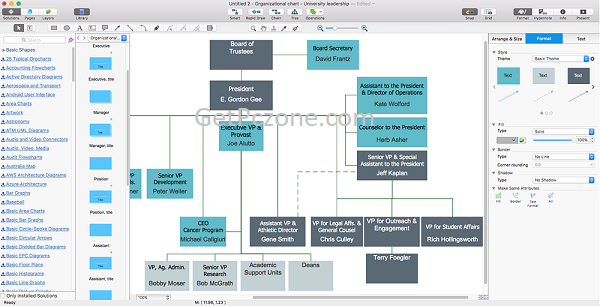
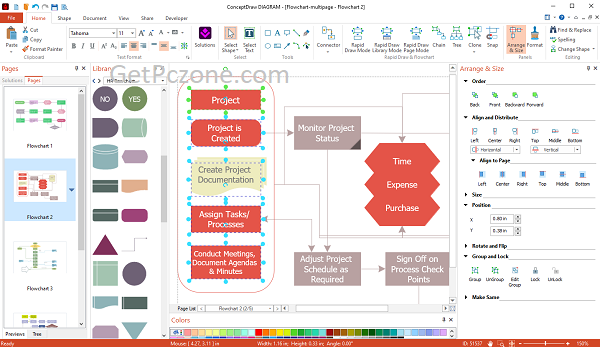
ConceptDraw DIAGRAM is a powerful diagramming tool used to create professional visuals such as flowcharts, organizational charts, network diagrams, floor plans, engineering schematics, UML diagrams, and business process models. It includes extensive libraries of templates and vector shapes that enable users to design high-quality visuals quickly and efficiently.
ConceptDraw MINDMAP focuses on brainstorming and idea organization. It allows users to capture thoughts visually, structure concepts, and convert ideas into actionable plans. Mind maps can be transformed into presentations, task lists, or project outlines, making them a valuable tool for strategic planning and creative thinking.
ConceptDraw PROJECT is a project management application that enables users to plan, schedule, and monitor tasks using Gantt charts, timelines, and resource allocation tools. It helps track progress, manage budgets, and coordinate team activities effectively.
One of the major advantages of ConceptDraw Office for Windows is the integration between its applications. Users can easily transfer data from a mind map to a project plan or convert diagrams into presentation-ready visuals. The software also supports Microsoft Visio file import and export, ensuring compatibility with widely used industry formats.
ConceptDraw Office Download is available for both Windows and macOS platforms, offering flexibility for different users. Its intuitive interface and professional-grade features make it suitable for business managers, engineers, IT professionals, consultants, educators, and students.
What is ConceptDraw Office 10.2 for?
1. Integrated Productivity Suite
Combines three powerful tools in one package:
-
ConceptDraw DIAGRAM (diagramming)
-
ConceptDraw MINDMAP (mind mapping)
-
ConceptDraw PROJECT (project management)
2. Professional Diagram Creation
Create high-quality:
-
Flowcharts
-
Organizational charts
-
Network diagrams
-
Floor plans
-
UML diagrams
-
Business process models
3. Advanced Mind Mapping
-
Brainstorm and organize ideas visually
-
Convert mind maps into presentations or project plans
-
Structure strategies and workflows efficiently
4. Project Management Tools
-
Gantt charts
-
Task scheduling
-
Resource allocation
-
Timeline planning
-
Budget tracking
5. Cross-Application Integration
Seamlessly transfer data between diagramming, mind mapping, and project management tools.
6. Extensive Templates & Libraries
Includes thousands of vector shapes, templates, and examples for various industries.
7. Microsoft Visio Compatibility
Import and export Microsoft Visio files for smooth collaboration with other users.
8. Cross-Platform Support
Available for both Windows and macOS.
9. Presentation-Ready Output
Export diagrams and plans in multiple formats suitable for reports and presentations.
10. User-Friendly Interface
Intuitive design suitable for business professionals, engineers, educators, and students.

ConceptDraw Office 10.2 Portable is an integrated business productivity suite developed by CS Odessa that combines diagramming, mind mapping, and project management tools into one cohesive solution. Review Of ConceptDraw Office 10.2 Designed for professionals, teams, educators, and organizations, it helps users visualize ideas, plan strategies, manage projects, and present information in a clear and […]
- Developer :
- Version :
- Language :English
- Update :
- License :
- Systems :
- Downloads :
- Vote Software :(0 votes, Average: 0)
- Compatibility :Windows 10 / Windows 11 / Windows 7 / Windows 8